 Template to Launch
Part 9 of 9
A check to run before you publish
A short checklist for your first publish on a hosted builder, from the preview and phone view to forms, images and search engines.
Last reviewed
In a nutshell
- Run through six quick checks before your first publish.
- Most of them take a minute.
- Publishing again later is easy, so don't aim for perfect.
The checklist
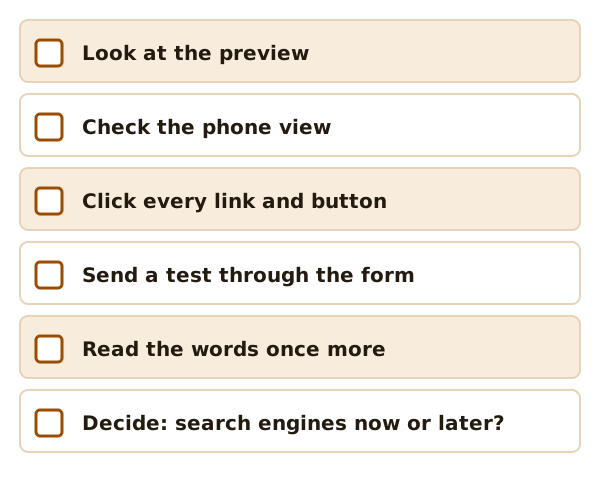
1. Look at the preview
Open the preview in your builder. Wix has a Preview button so you can see how the site looks before you publish.[1] Click through every page, not just the home page.
2. Check the phone view
Look at each page at phone width. Some builders have a switch for desktop, tablet and mobile.[2] If yours doesn't, open the page on a real phone after you publish. The phone layouts page says what to look for.
3. Click every link and button
Every menu item, every button, every link in the text. A button that goes nowhere looks careless.
4. Send a test through your form
Fill in your own form and send it. In Wix, you'll get a notification at your account email when someone submits.[3] Make sure it arrives, and make sure it isn't in the spam folder. More on this in forms and built-in features.
5. Read the words and check the images
Read every page aloud once. You'll catch slips your eyes skip.
Check your pictures too. Each one needs a text description, called alt text, for people who can't see it.[4] Screen readers read it out.
6. Decide about search engines
You may want search engines to list the site right away. Or you may not.
Some builders let you publish and still ask search engines to skip the site for now. Wix does: you can publish but temporarily prevent search engines from indexing it.[1] That's handy for sharing a site with friends first.
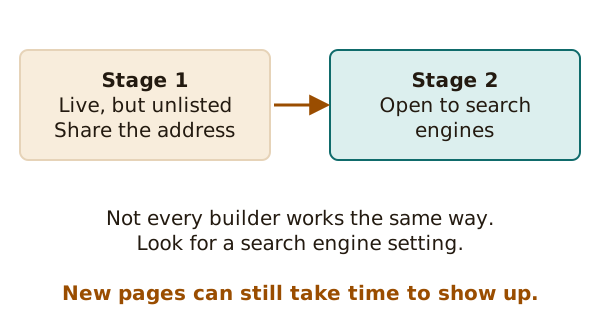
When you do open the site up, be patient. New sites and pages can take time to show up in search results.[1]
After you press Publish
- Open your live address in a new window. Look again.
- If you use your own domain, remember the wait. Making a site available worldwide is called propagation.[5] The domain page explains it.
- If something looks wrong, fix it and publish again. Remember: saved changes don't show until you publish them.[1]
That's the whole trip, from a template to a live site. Go back to the start of the explainer any time you want to look something up.
Sources
- Wix Editor: Publishing Your Site, Wix Help Center (accessed 2026-10-22)
- Themes in WordPress, WordPress.com Support (accessed 2026-10-22)
- Wix Forms: An Overview, Wix Help Center (accessed 2026-10-22)
- Images Tutorial, W3C Web Accessibility Initiative (accessed 2026-10-22)
- Connecting a Domain to Wix FAQs, Wix Help Center (accessed 2026-10-22)