From a blank template to a live website

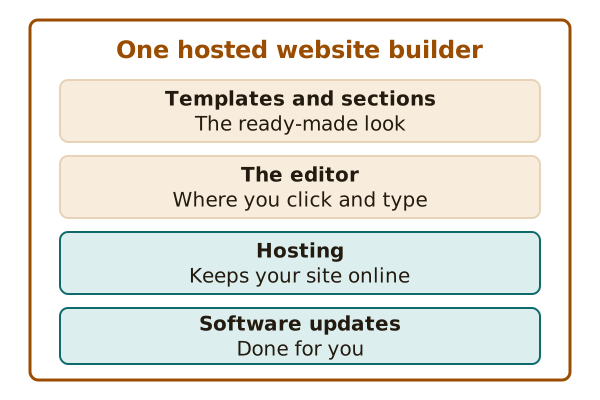
A website builder lets you create and publish a site without writing code.[1] A hosted one also keeps the site online for you.[1]

This explainer follows the whole trip in plain words. It has a picture for each idea.

Start with the big picture →I'm ready to launch →

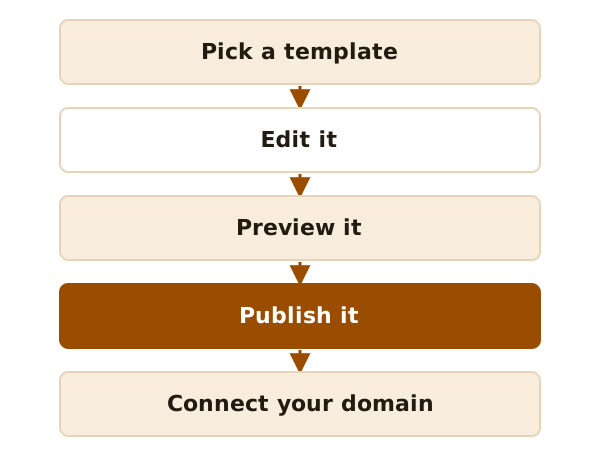
A path of five steps from left to right: pick a template, edit it, preview it, publish it, connect your domain.
The whole trip in five steps.

The trip in three moves

  1. 1
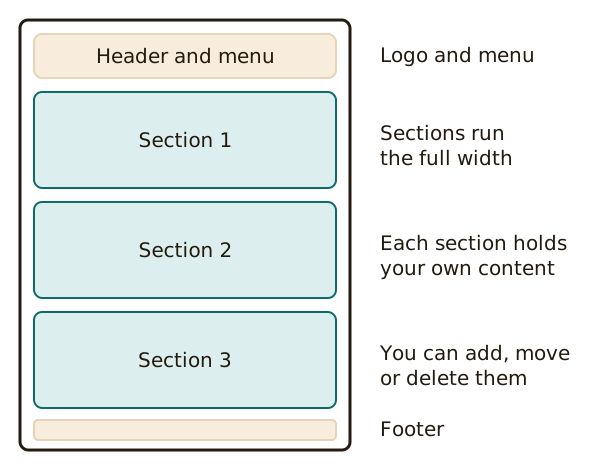
    A web page drawn as a stack of boxes: a header with a menu on top, then three sections one under the other, then a footer. Labels on the right name each part.
    A template is a page made of a header, sections and a footer.

    Start from a template

    A template is a ready-made page design. You fill it with your own words and photos.
  2. 2
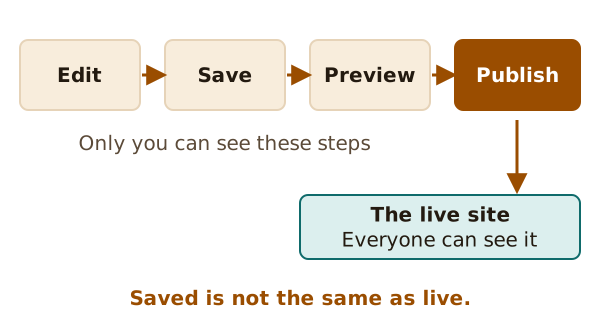
    A row of four steps joined by arrows: edit in the editor, save, preview, then publish. Only publish leads to the live site that visitors see.
    Saving keeps your work. Only Publish puts it on the live site.

    Save, then publish

    Saving keeps your work, but it won't make your changes live.[2] Publishing does.
  3. 3
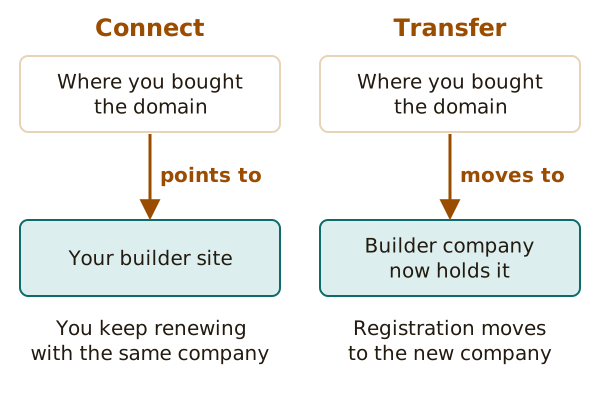
    Two options side by side. Connect: your domain stays registered with the company you bought it from, and points to your builder site. Transfer: the registration moves to the builder company.
    Connecting points your domain at the builder. Transferring moves the whole registration.

    Give it your own address

    You can point a domain you already own at your site, and keep renewing it where you bought it.

Every page, grouped by job

How this site works

  • No ads, no sponsors and no affiliate links.
  • It explains how the category works. It does not rank or recommend builders.
  • Examples come from the official help pages of real builders, and facts link to the page they came from.

Quick answers

Do I need to code?

No. A builder is made for people who don't write code.[1]

Is the free level enough?

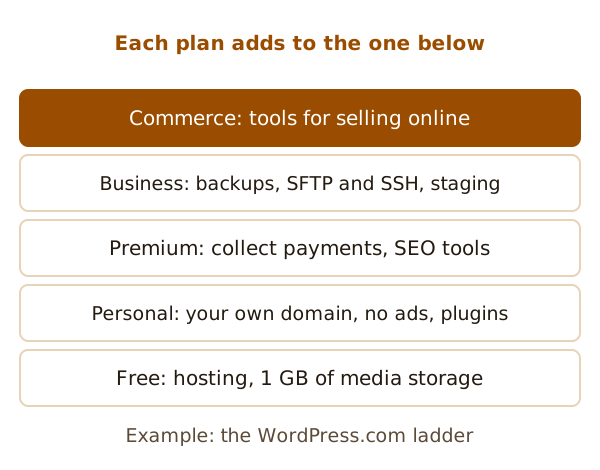
It depends on the builder. One example is a free level with 1 GB of storage for media files.[4] The plans page lists what to check.

Is my site live once I save it?

No. Saving won't make your changes live.[2] You need to publish. See saving and publishing.

Sources

  1. Website builder, Wikipedia (accessed 2026-10-22)
  2. Wix Editor: Publishing Your Site, Wix Help Center (accessed 2026-10-22)
  3. Export WordPress Content, WordPress.com Support (accessed 2026-10-22)
  4. Choose a WordPress.com plan, WordPress.com Support (accessed 2026-10-22)